Free on every plan
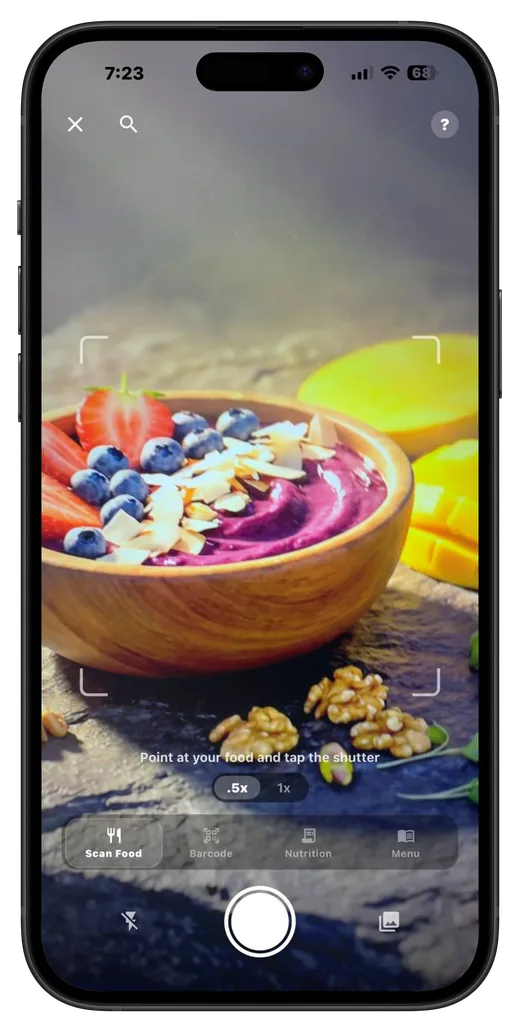
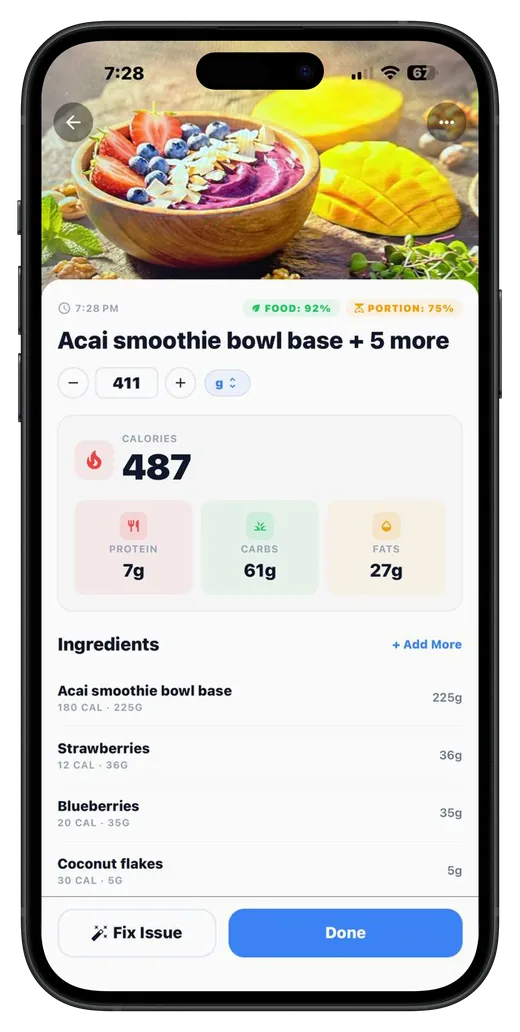
Barcode scanning is part of Bodydex's free tier, with no ads, and it never uses your AI scans. On the free plan the Scan action opens straight into barcode mode; AI photo scanning is the part that needs Premium.
Scan the barcode on a packaged food and log its calories, protein, carbs and fat in a few seconds, free on iPhone and Android. Updated November 3, 2026.
Bodydex scans food barcodes for free, with no ads.
Bodydex is a calorie counter for iPhone and Android whose barcode scanner is part of the free tier. Point the camera at a packaged food's barcode, check the serving, and log it; the product's calories and macros come from FatSecret, USDA FoodData Central and Open Food Facts, and you can keep your own corrected numbers when an entry looks wrong. If a barcode isn't found, you can rescan, search by name, or (on Premium) switch to an AI photo or nutrition-label scan.
Barcode scanning is part of Bodydex's free tier, with no ads, and it never uses your AI scans. On the free plan the Scan action opens straight into barcode mode; AI photo scanning is the part that needs Premium.
A scanned barcode is looked up in FatSecret, Bodydex's primary barcode source, in USDA FoodData Central, and in Open Food Facts, a community database that extends coverage to international and specialty products. Community foods are labeled as community data, with a note that entries can be inaccurate. The Food Databases page in Profile shows which source powers barcode scans and lets you switch a source off.
A match opens the food's detail screen, where you pick the serving and amount and the meal it belongs to before anything is logged. The calories and macros update as you change the amount, so the entry matches what you actually ate, not the whole package.
If no source has the product, Bodydex says the barcode isn't in its database yet and offers three ways on: rescan at a better angle, search the database by name, or switch to an AI scan (Premium). If the lookup couldn't reach the database at all, it says that instead, so a dropped connection is never reported as a missing product.
Packaged-food entries can be out of date. For any database food, Save my version keeps your own numbers in a copy only you see, and Use the original switches back when the original entry can still be found. For an Open Food Facts food with a barcode, you can report the wrong data from the food detail screen with photos of the nutrition label.
A barcode you've scanned before is answered from the copy saved on your phone first, as long as its source is still switched on. Your food log itself stays on your device.
Open the quick-log menu from the tab bar and tap Barcode. On the free plan, Scan opens in barcode mode too.
Hold the package so the barcode sits inside the frame. Bodydex reads standard UPC and EAN product barcodes and looks the product up.
Confirm it's the right product, then set the serving and amount you actually ate.
Add it to breakfast, lunch, dinner or a snack. The day's calories and macros update right away.
| App | Barcode scanning (November 2026) | Free tier |
|---|---|---|
| Bodydex | Free | Yes, permanent, no ads |
| MyFitnessPal | Premium | Yes |
| Lose It! | Premium for new accounts (as of 2026) | Yes, with ads |
| Cronometer | Free, unlimited | Yes |
| Yazio | Free in the food diary | Yes, with ads |
| MacroFactor | Included in the subscription | No free tier |
| Cal AI | Included in the subscription | No free tier (3-day trial) |
Sources (checked November 2026): MyFitnessPal PremiumLose It! App Store listingCronometer free featuresYazio free food diaryMacroFactor pricingCal AI
Want more than barcodes? See MyFitnessPal alternatives and Bodydex vs Cronometer.
Yes. Barcode scanning is in the free tier on iPhone and Android, with no ads. Manual logging, custom foods, recipes and custom macro targets are free too; AI photo scanning, voice logging and the AI nutrition coach are Bodydex Premium.
A barcode scan returns what the food database holds for that product, which usually mirrors the package's nutrition label. Entries can be out of date or, in community data, simply wrong, so compare a new product against its label once. If it's off, Save my version keeps your own numbers for next time.
Bodydex tells you the barcode isn't in its database yet and offers a rescan, a search by name, or an AI scan on Premium. You can also add the food yourself as a custom food.
Looking up a new barcode needs a connection. If the database can't be reached, Bodydex says so and asks you to try again, rather than calling the product missing. A barcode you've scanned before can be answered from the copy saved on your phone.
Yes, on Premium. The scanner's Food Label mode reads the nutrition panel from a photo, which helps with products whose barcode isn't in any database.
As of November 2026, MyFitnessPal puts barcode scanning in Premium, and Lose It! has moved it to Premium for new accounts. Cronometer and Yazio keep it free, and MacroFactor and Cal AI include it in subscriptions that have no free tier. Check each publisher's current plans before you decide.
 Your nutrition, decoded.
Free barcode scanning, custom macros and a full food log on iPhone or Android.
MyFitnessPal, Lose It!, Cronometer, YAZIO, MacroFactor and Cal AI are trademarks of their respective owners. Bodydex is not affiliated with or endorsed by any of them. Plans and features verified November 2026 from each publisher's public marketing pages and app-store listings — products evolve, so always confirm current details on the publisher's site before deciding. All trademarks are the property of their respective owners.